

Human Resources Reports #
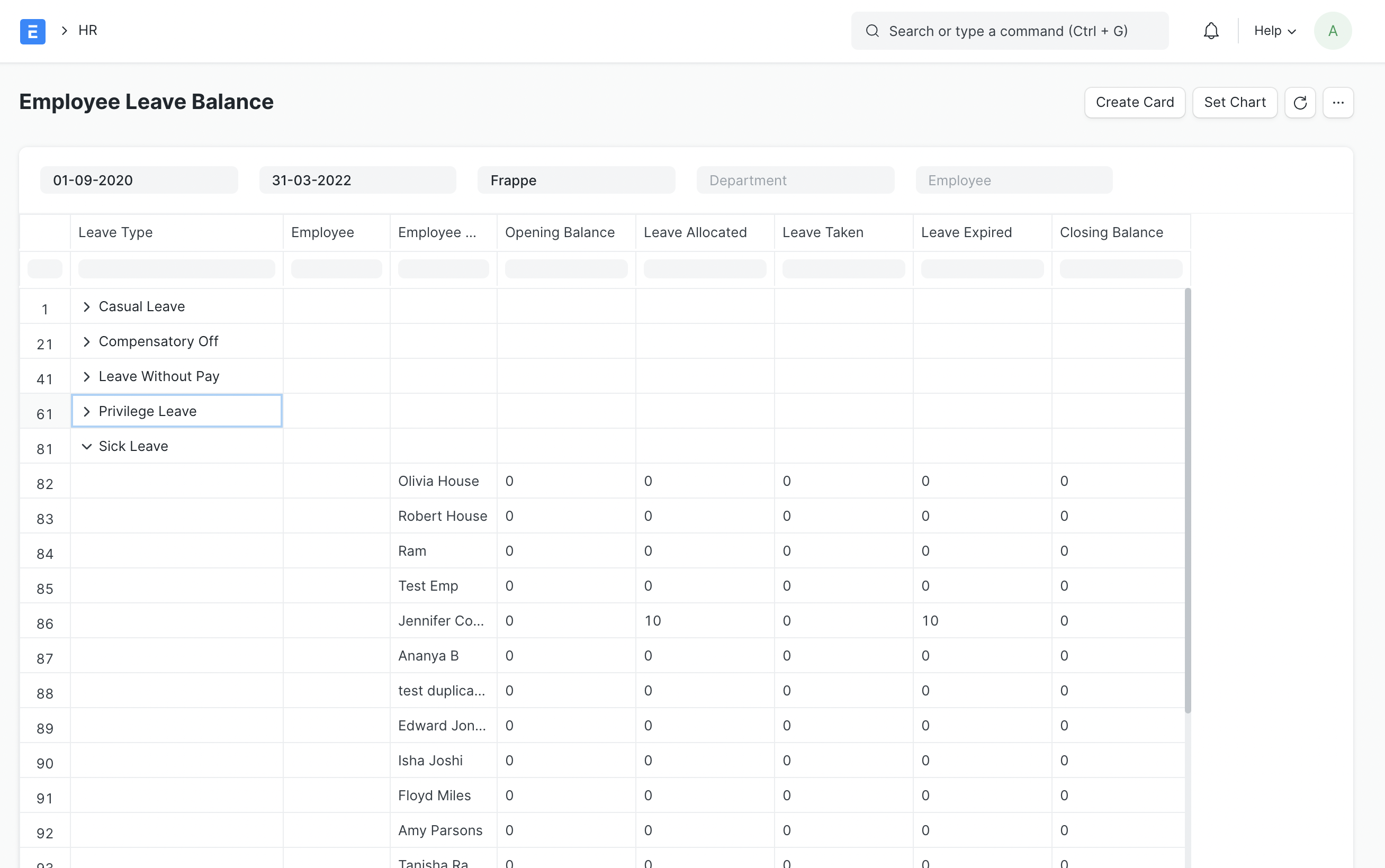
1. Employee Leave Balance #
2. Salary Register #
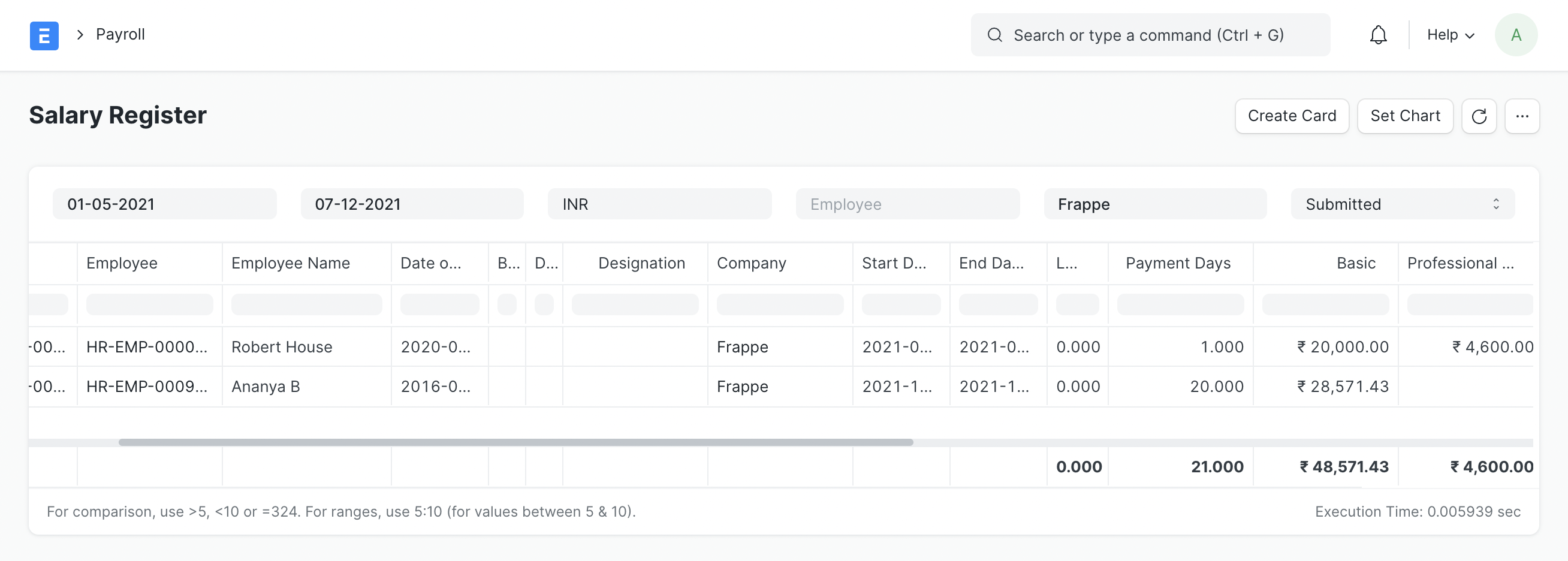
Salary Register shows net pay and its components of employee(s) at a glance.
3. Monthly Attendance Sheet #
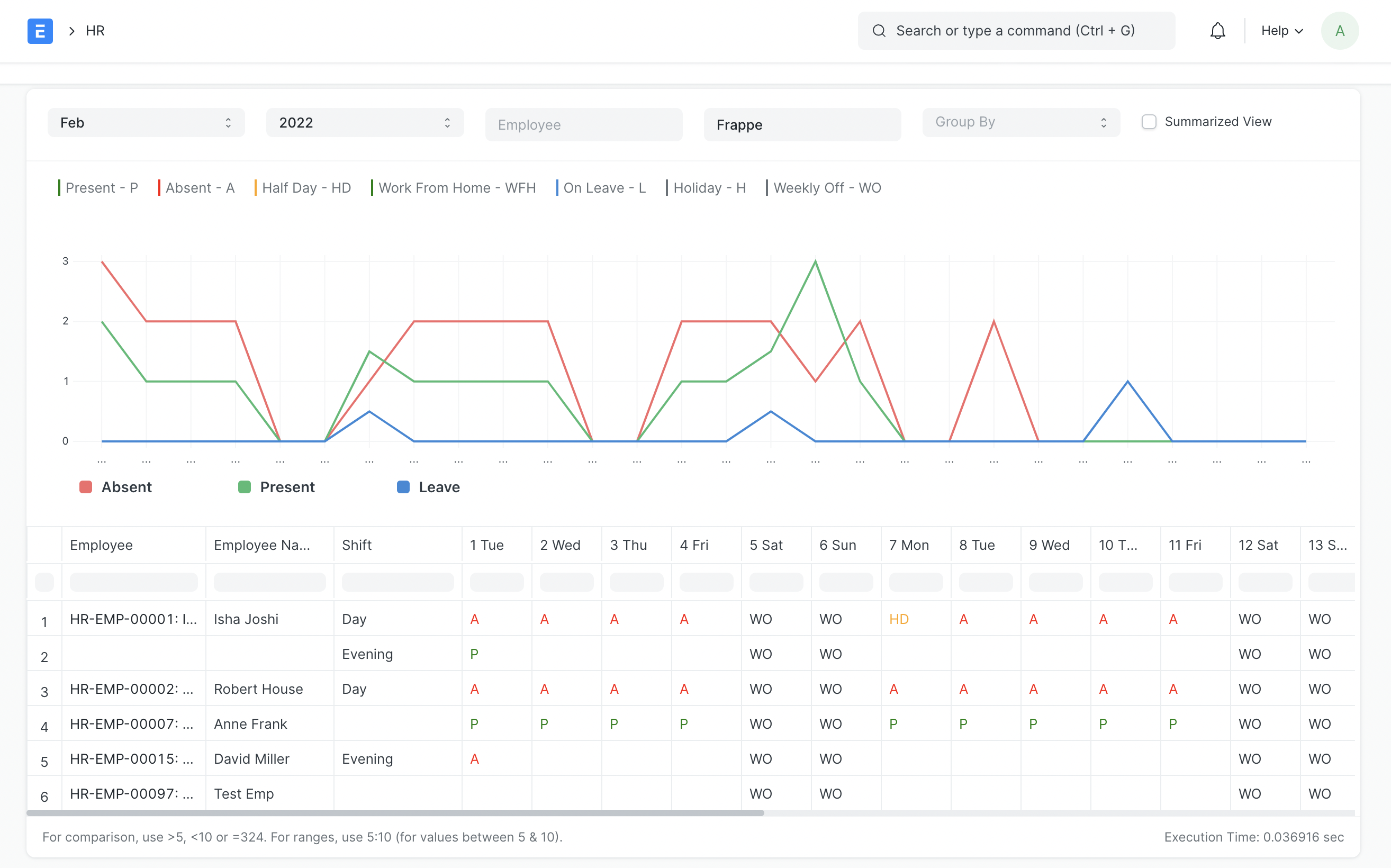
Monthly Attendance Sheet shows you the employee-wise attendance status. If you assign shifts to employees, this sheet will also show you shift-wise attendance for each employee.
If you do not want to see day-wise attendance, and get a summarized view of total absent, present, leave days, etc. you can switch to the summarized view:
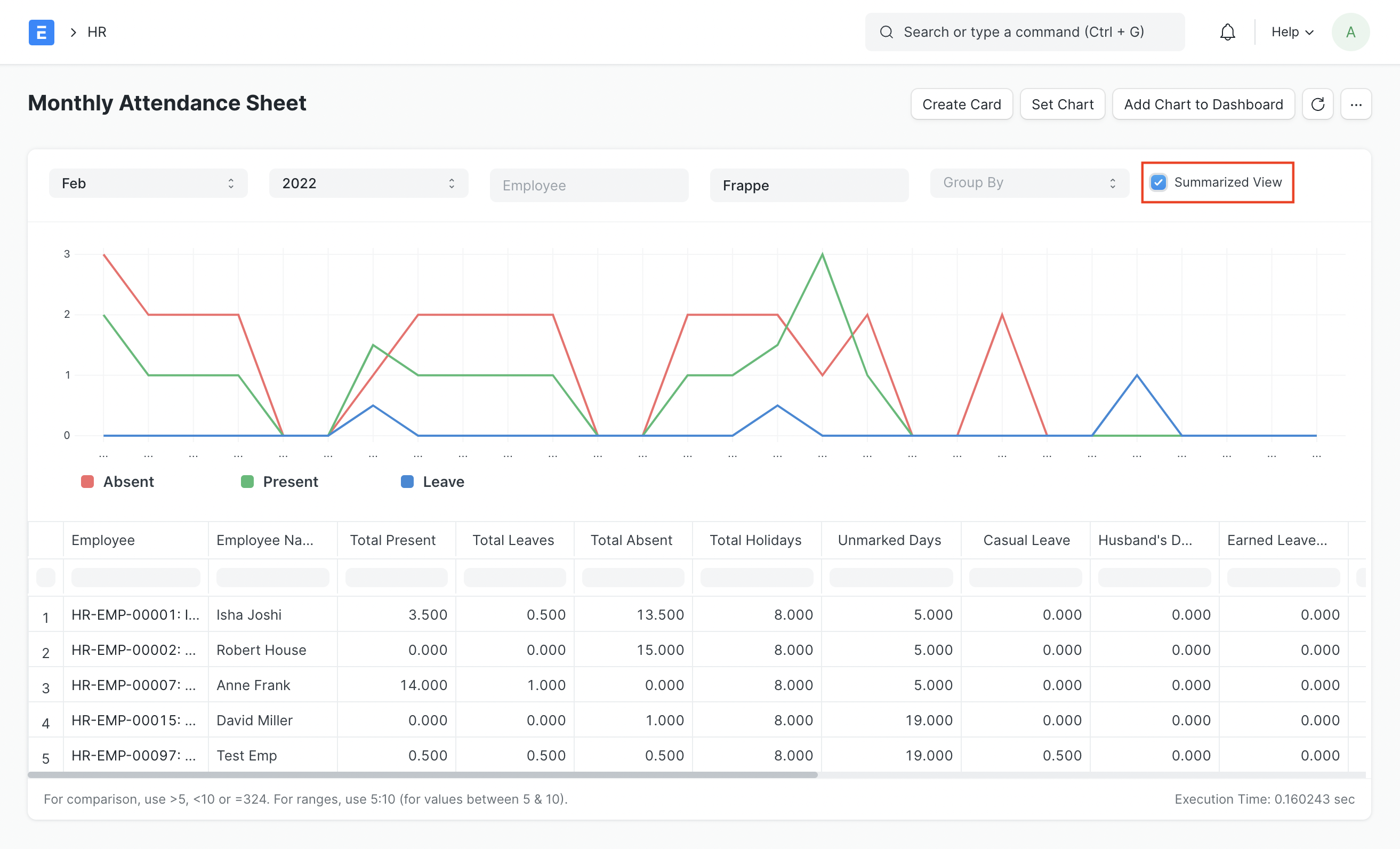
This will show you:
- Total Present Days
- Total Absent Days
- Total Leave Days
- Total Holidays
- Total Unmarked Days
- Number of leaves taken per leave type
- Total Late Entries
- Total Early Exits
You can also view the report grouped by Department, Branch, Designation, or Employee Grade.
4. Shift Attendance #
Introduced in Version 15
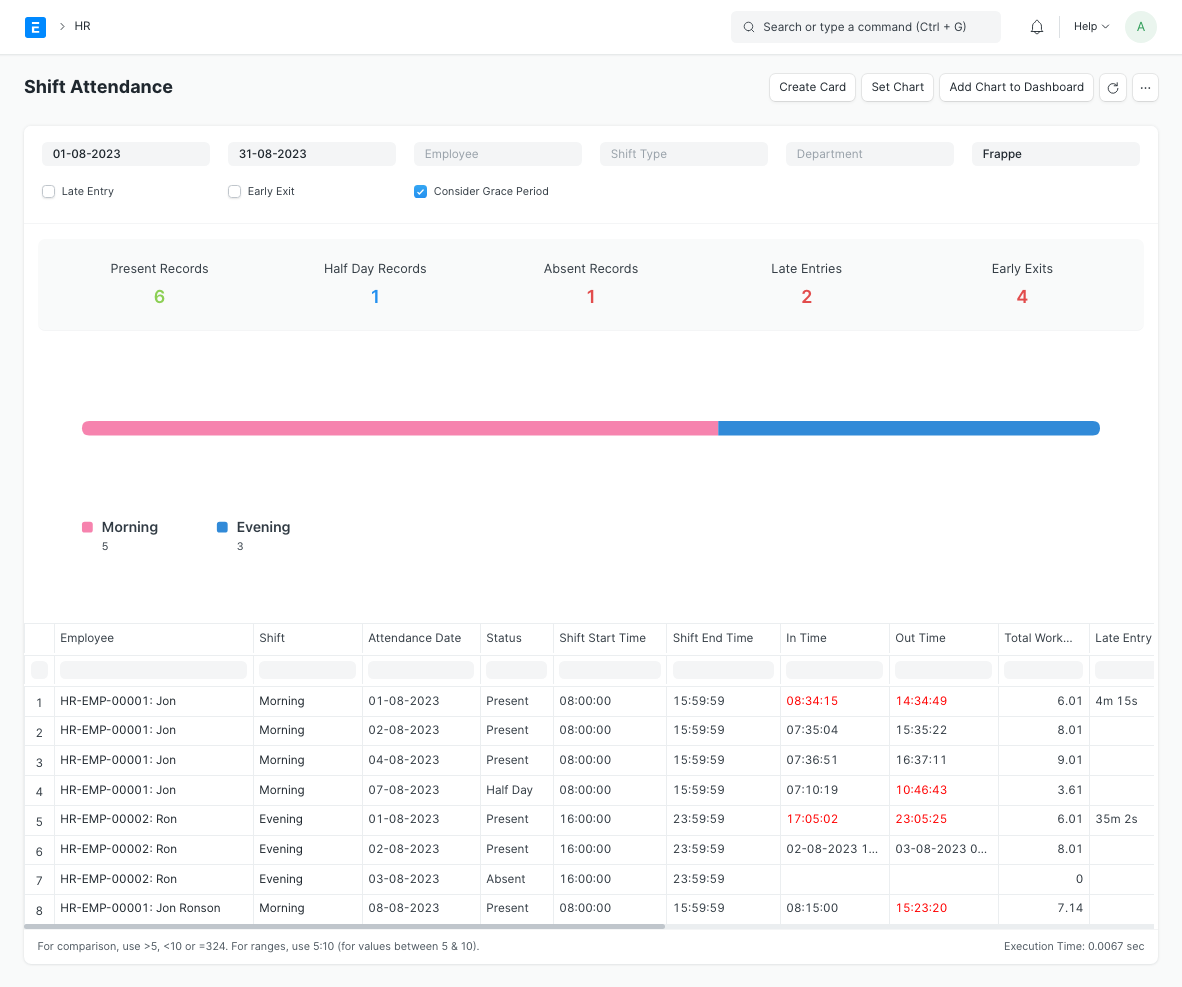
Shift Attendance presents and summarizes attendance details for marked shifts:
- Attendance Details: Employee, Date, Status, In/Out Time, Total Working Hours, Time by which Entry is Late or Exit is Early
- Shift Details: Shift Name, Shift Start/End Time, Shift Actual Start/End Time
Entries can be further filtered on the basis of:
- Shift Type
- Late Entry
- Early Exit
5. Vehicle Expenses Report #
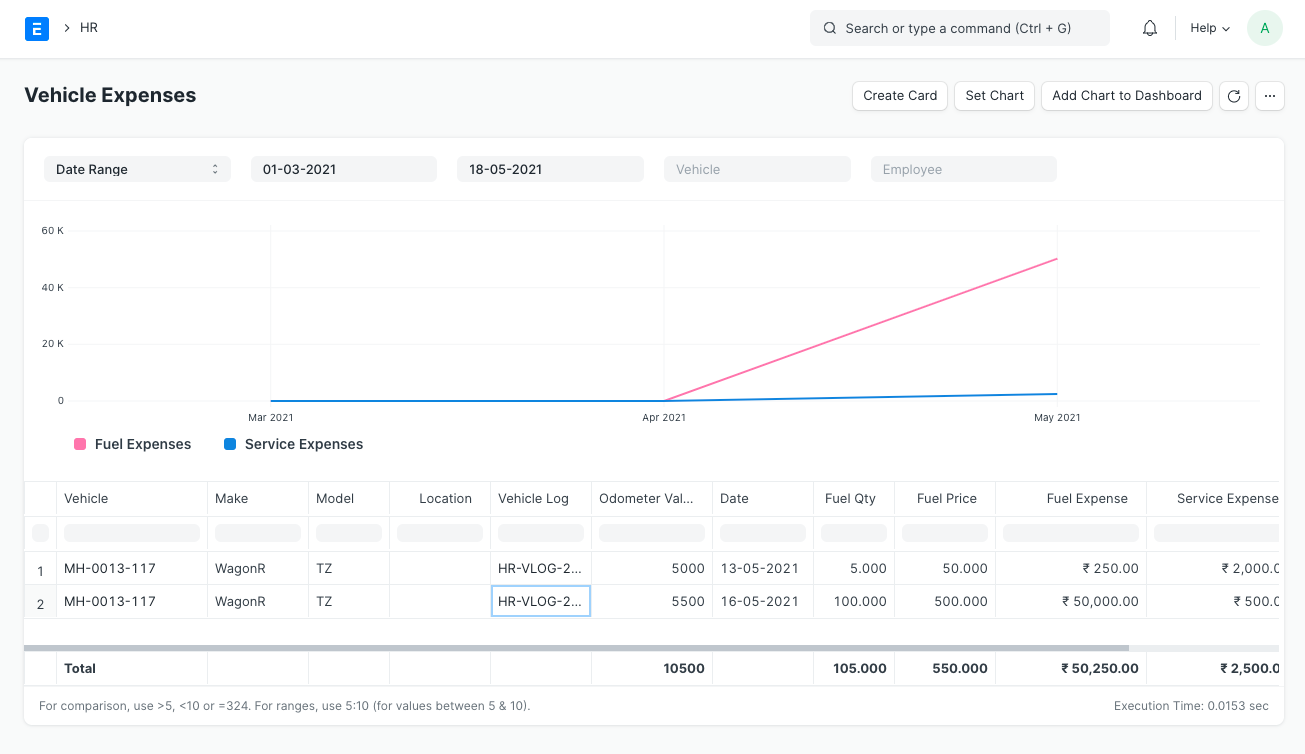
To track and monitor Vehicle Expenses you can use the Vehicle Expenses report. This report gives a one-stop view of all your Vehicle Expenses month-wise.
6. Employee Exits #
Introduced in Version 14
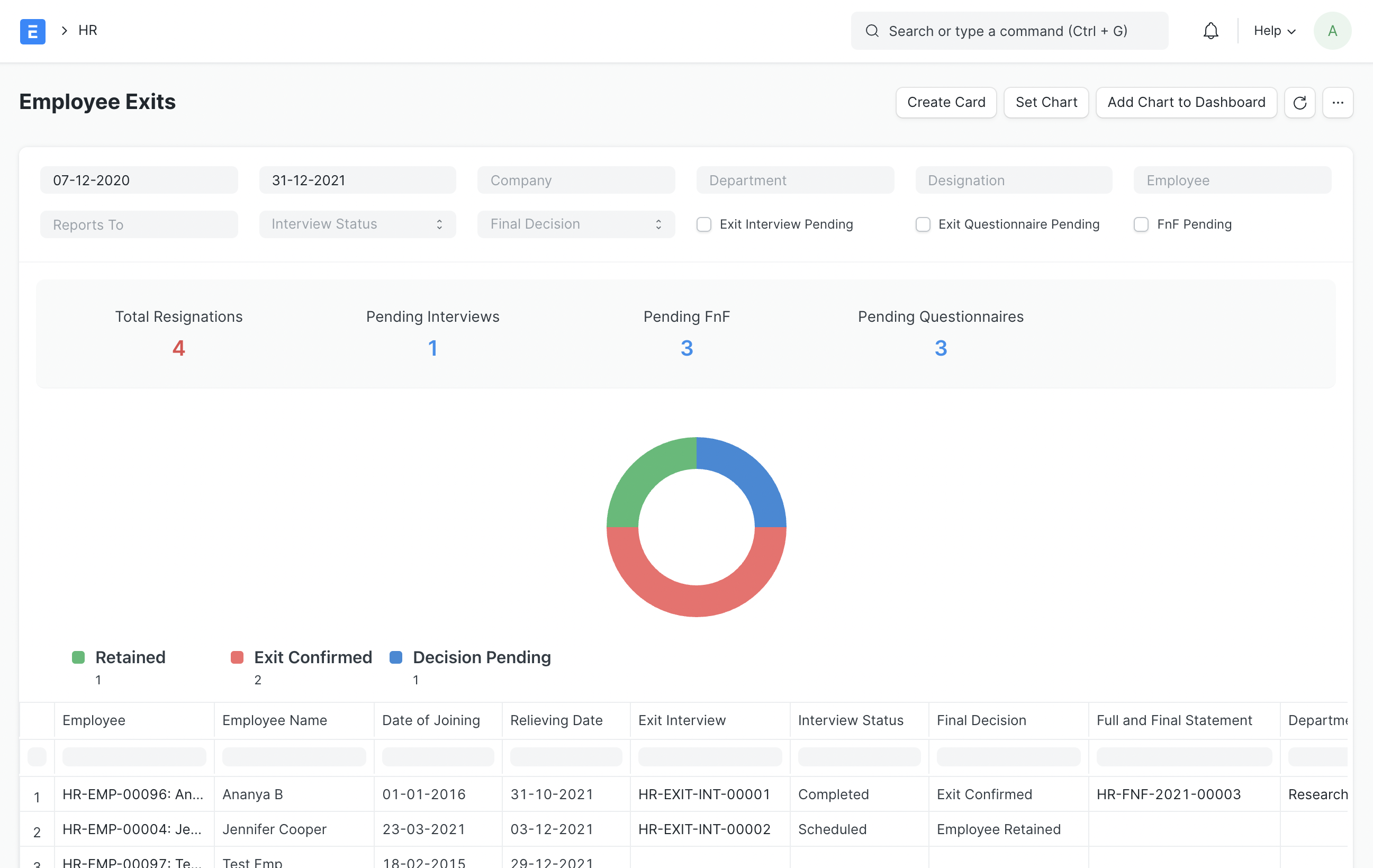
This report gives a summary of Employee Exits:
- Employee Details: Employee, Reports to, Date of Joining, Relieving Date, Department, Designation
- Exit Interview
- Interview Status (Pending/Scheduled/Completed)
- Final Decision (Employee Retained/Exit Confirmed)
- Full and Final Statement
This report also provides extra filters for:
- Interview Pending
- Questionnaire Pending
- FnF Pending
Users can set up auto email reports on the above filters to make pending exit tracking easier.
7. Employee Birthday #
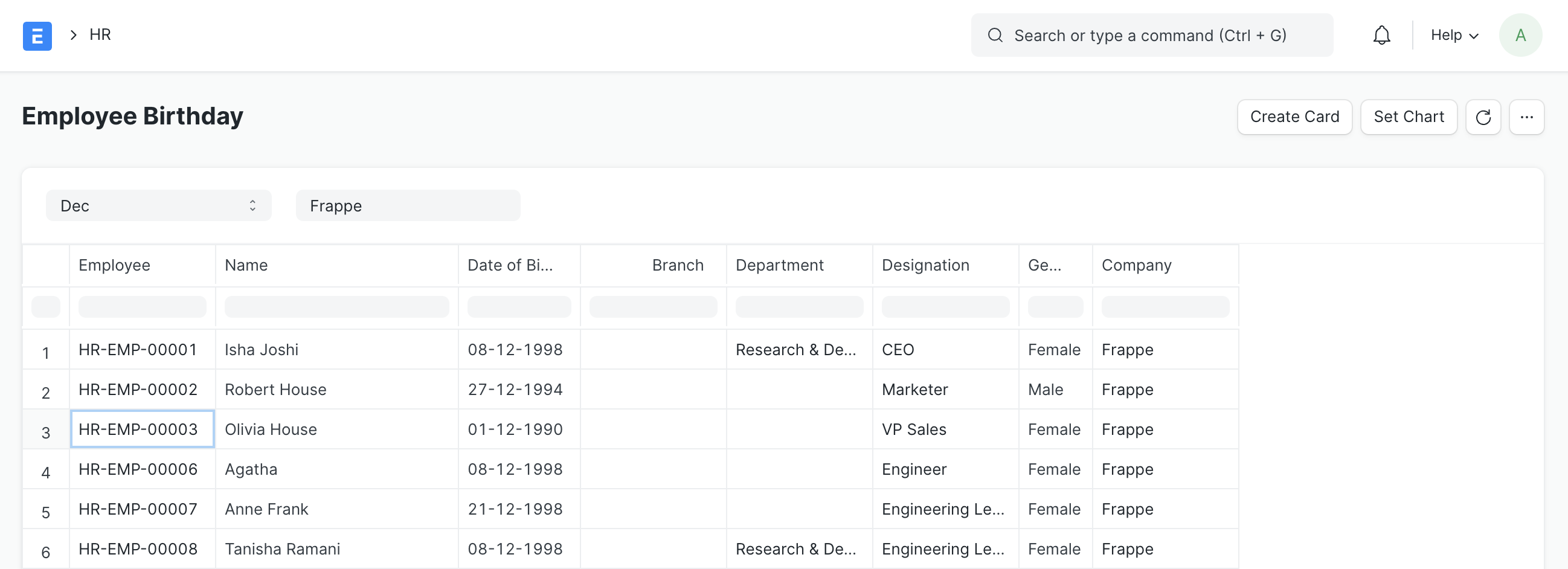
Employee Birthday Report shows month-wise birthdays of your Employees.
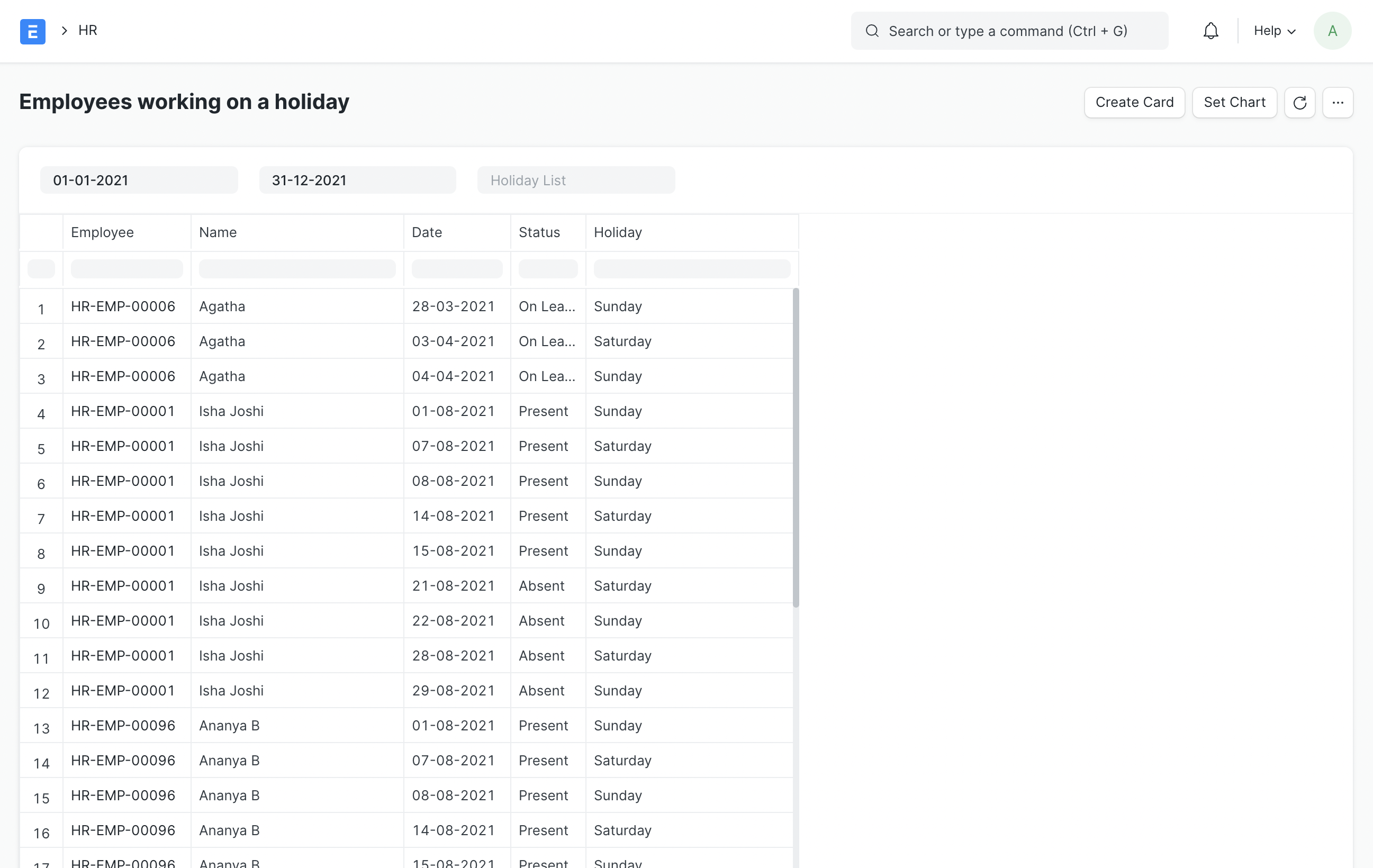
8. Employee working on a holiday #
Employee Holiday Attendance shows the list of Employees who attended on Holidays.
9. Bank Remittance Report #
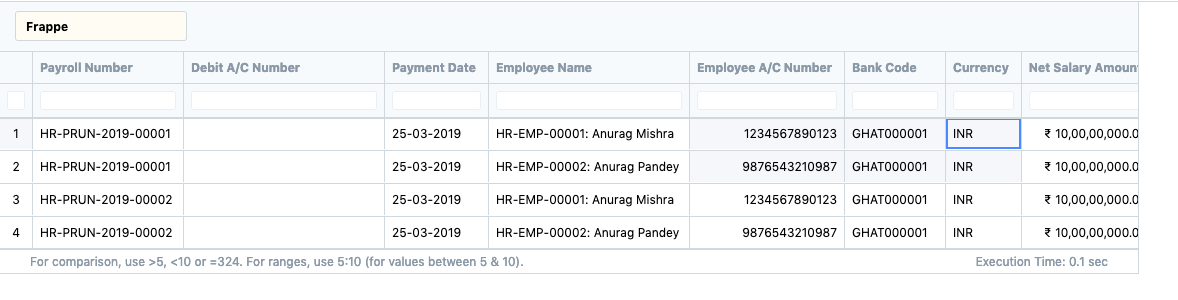
This report helps you to track bank transactions of payroll entries between companie(s) and employees. It shows the transaction between the bank accounts of the Company and the Employee with the Payment Date.
10. Loan Repayment Report #
Loan Repayment Report allows you to keep a track of loans by showing the loan amount, interest, payable amount, and EMI. It also shows the paid and outstanding amount.
Project Profitability Report #
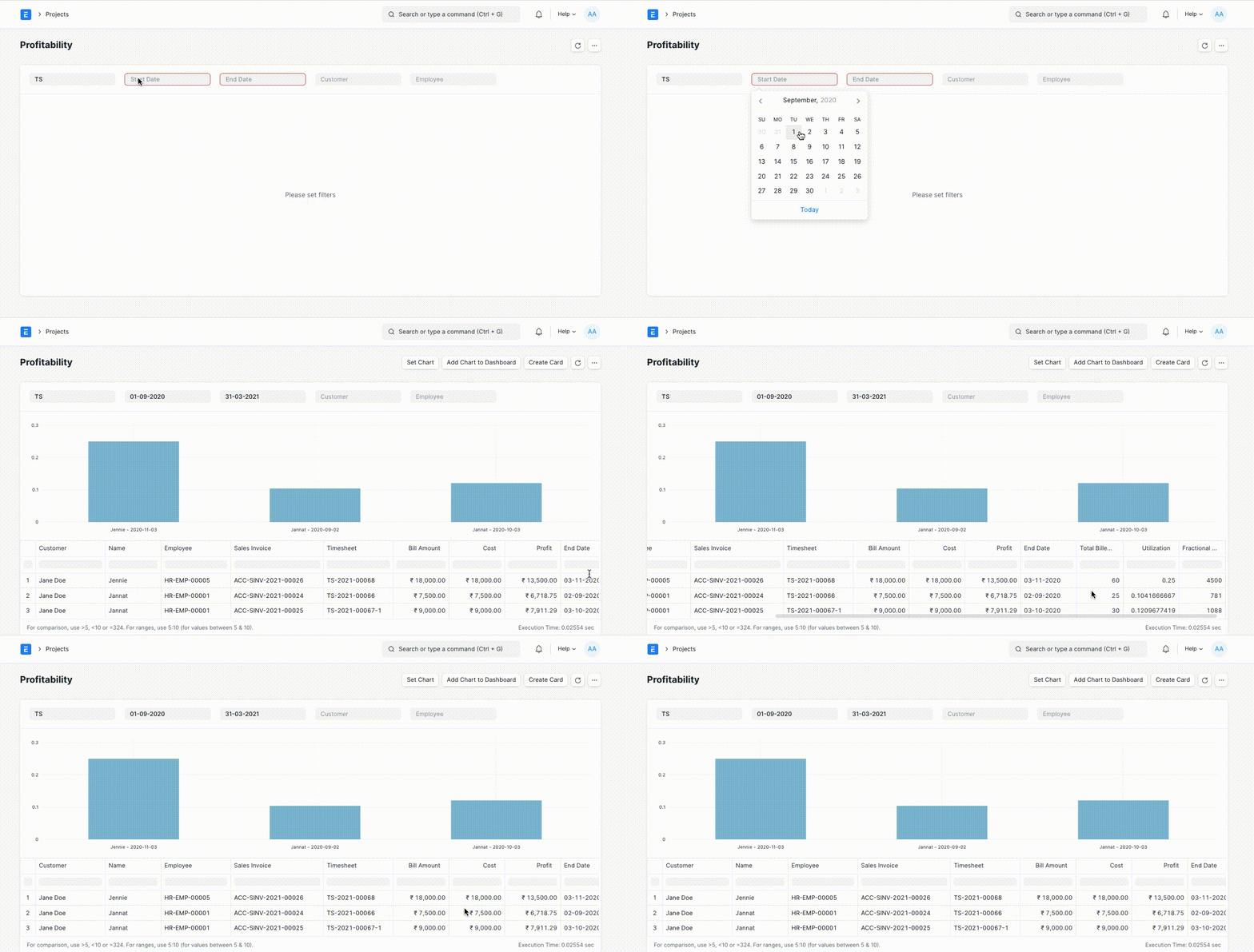
The Project Profitability Report shows the Profitability and Utilization of each employee based on the Timesheets generated.
To view this report, you can go to:
Home > Projects > Reports > Project Profitability
This report shows the Project Profitability with the following data:
- Timesheet
- Salary Slip generated using the Timesheet
- Sales Invoice generated using the Timesheet
Calculation of Utilization #
The Utilization of the Employee is calculated using the Total Billed Hours from the Timesheet, Working Days from the Salary Slip, and the Standard Working Hours from HR Settings.
The formula for Utilization is as follows,
Utilization = Total Billed Hours / (Working Days * Standard Working Hours)
Calculation of Profit #
The Profit is calculated using the Gross Pay from the Salary Slip, Grand Total from the Sales Invoice, and Utilization.
The formula for Profit is as follows,
Profit = Grand Total - Gross Pay * Utilization
Calculation of Fractional Cost #
The Fractional Cost is calculated using Gross Pay from Salary Slip and Utilization.
The formula for Fractional Cost is as follows,
Fractional Cost = Gross Pay * Utilization